HomeStore
JSAUX USB-C 5-in-1 Docking Station for Steam Deck/ Steam Deck OLED/ ROG Ally/ ROG Ally X / Legion Go/ Legion Go 2/ Legion Go S (Grey) (HB0602S)
JSAUX USB-C 5-in-1 Docking Station for Steam Deck/ Steam Deck OLED/ ROG Ally/ ROG Ally X / Legion Go/ Legion Go 2/ Legion Go S (Grey) (HB0602S)

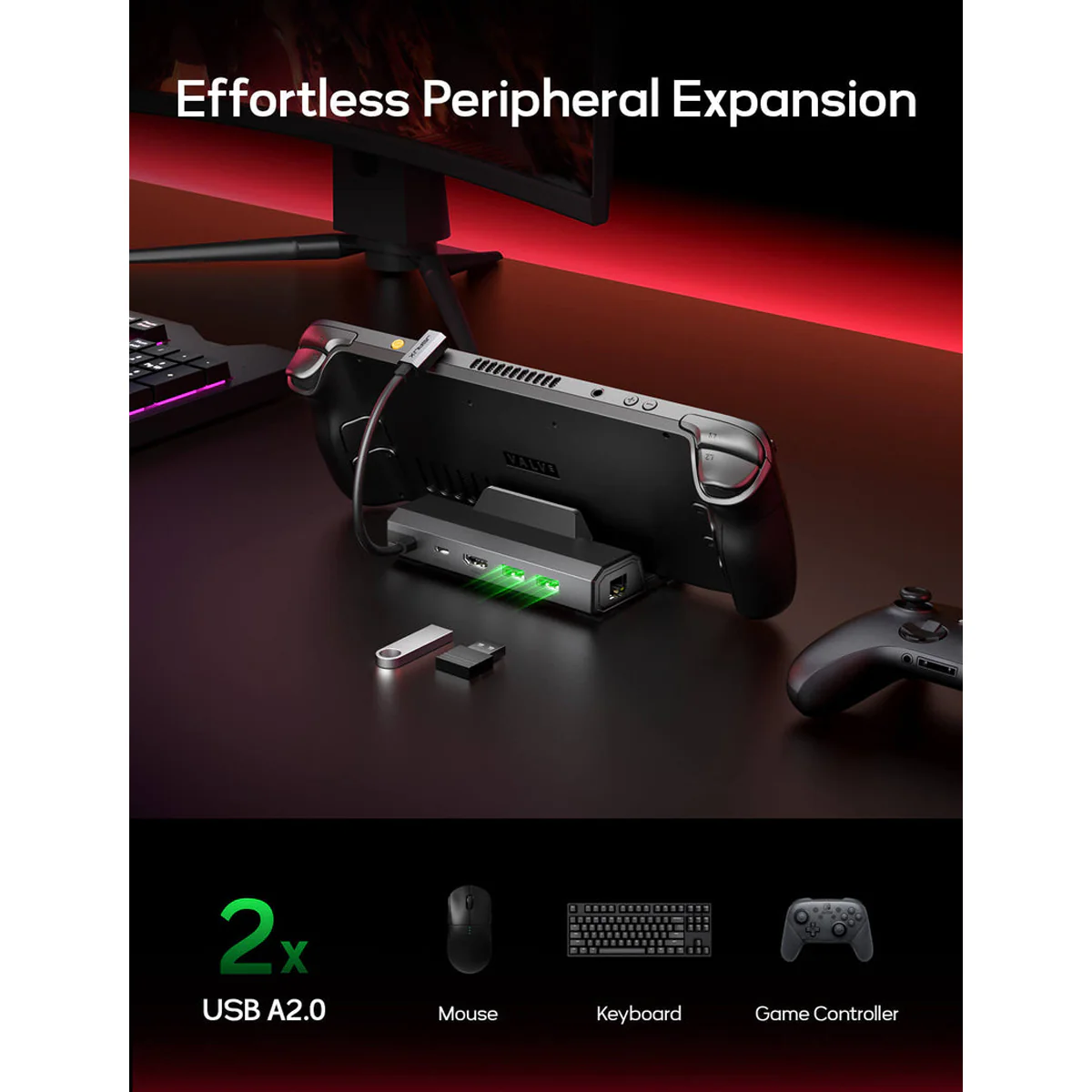
- Upgraded 5-in-1 Docking Station: Features HDMI 2.1 4K@120Hz output for ultra-smooth, crystal-clear visuals, plus 100W PD charging, dual USB A 2.0 ports, and a reliable Ethernet connection. Now supports ROG Ally X and Legion Go S, giving you more ways to enjoy a seamless big-screen gaming experience. NOTE: Not for ROG XBOX Ally / XBOX Ally X.
- 4K@120Hz HDMI Output (Upgraded): Experience double the refresh rate compared to the previous 4K@60Hz version. Whether you’re battling online or watching cinematic cut-scenes, enjoy buttery-smooth gameplay and reduced screen tearing on external monitors.
- Full-Speed 100W Charging: Supports up to 100W PD charging, easily powering your handheld in Turbo Mode. Keeps your gaming sessions uninterrupted — no need to worry about battery drain even during marathon play. Note: The ROG Ally's 30W Turbo Mode is fully supported, but a 100W charger is recommended.
- Reliable Wired Ethernet: Enjoy a stable and consistent network connection with the built-in RJ45 port, ensuring low-latency performance for smooth online gaming and streaming.
- Expanded Device Compatibility: Now works with Steam Deck LCD/OLED, ROG Ally / Ally X, Legion Go / Go S, and MSI Claw — making it your all-in-one solution across multiple handhelds. NOTE: Not for ROG XBOX Ally / XBOX Ally X.
Note: It is recommended to use a 100W charger to better experience ROG Ally’s high-performance 30W mode.
| Model | HB0602S |
|---|---|
| Compatibility | Compatible Devices: Steam Deck LCD/OLED, ROG Ally/X, Legion Go/Go 2/Go S, and MSI Claw. Non-compatible Devices: ROG XBOX Ally/X, Switch, Switch 2 |
| Dimensions | 120(L)*77.5(W)*36(H)mm; wire length 25cm |
| Number of Ports | 2* USB-A 2.0: supports 480Mbps; 1* PD USB-C: Supports PD 100W charge; 1* HDMI 2.1: Supports Up To 4K@120Hz; 1* RJ45: Adaptive 100/10M Ethernet |
| Material | TPE+Aluminum |
| Weight | 124g |
| NOTE | Please set the resolution and refresh rate of your external monitor to the following standards: 3840*2160@30Hz/60Hz/120Hz, 5120*2880@30Hz, 2560*1440@60Hz or 1920*1080@60Hz/120Hz/144Hz. For 4K@120Hz output, please ensure your device supports it and use an HDMI 2.1 standard cable. Please connect a PD power adapter to the dock when using it. Without external power, the dock cannot charge your device or deliver stable video output. NOTE for Deck LCD/OLED: While a 45W PD charger can charge at full speed, we recommend using a 65W PD charger when docking — this ensures more stable power delivery and faster charging, especially if you connect multiple USB accessories. NOTE for ROG Ally/ ROG Ally X/MSI Claw: For the best experience — especially when using 30W Turbo Mode — we recommend a 100W PD charger. A higher-wattage adapter ensures there’s enough power for both the console and the dock, preventing performance drops, battery drain, or slower charging when accessories are connected. NOTE for Legion Go/Go 2/Go S: To fully unleash the console’s performance, we recommend using a 100W PD charger when docking. The extra power ensures stable 65W charging for the handheld while supplying enough energy for the dock and connected accessories — preventing battery drain or slower charging during heavy use. Performance Tip: When playing demanding games, high-resolution settings can increase power consumption and heat, which may cause frame drops or battery drain while docked. For smoother gameplay and lower latency with external devices, consider slightly lowering the game’s resolution or graphics settings. |
$6.55
Original: $21.83
-70%JSAUX USB-C 5-in-1 Docking Station for Steam Deck/ Steam Deck OLED/ ROG Ally/ ROG Ally X / Legion Go/ Legion Go 2/ Legion Go S (Grey) (HB0602S)—
$21.83
$6.55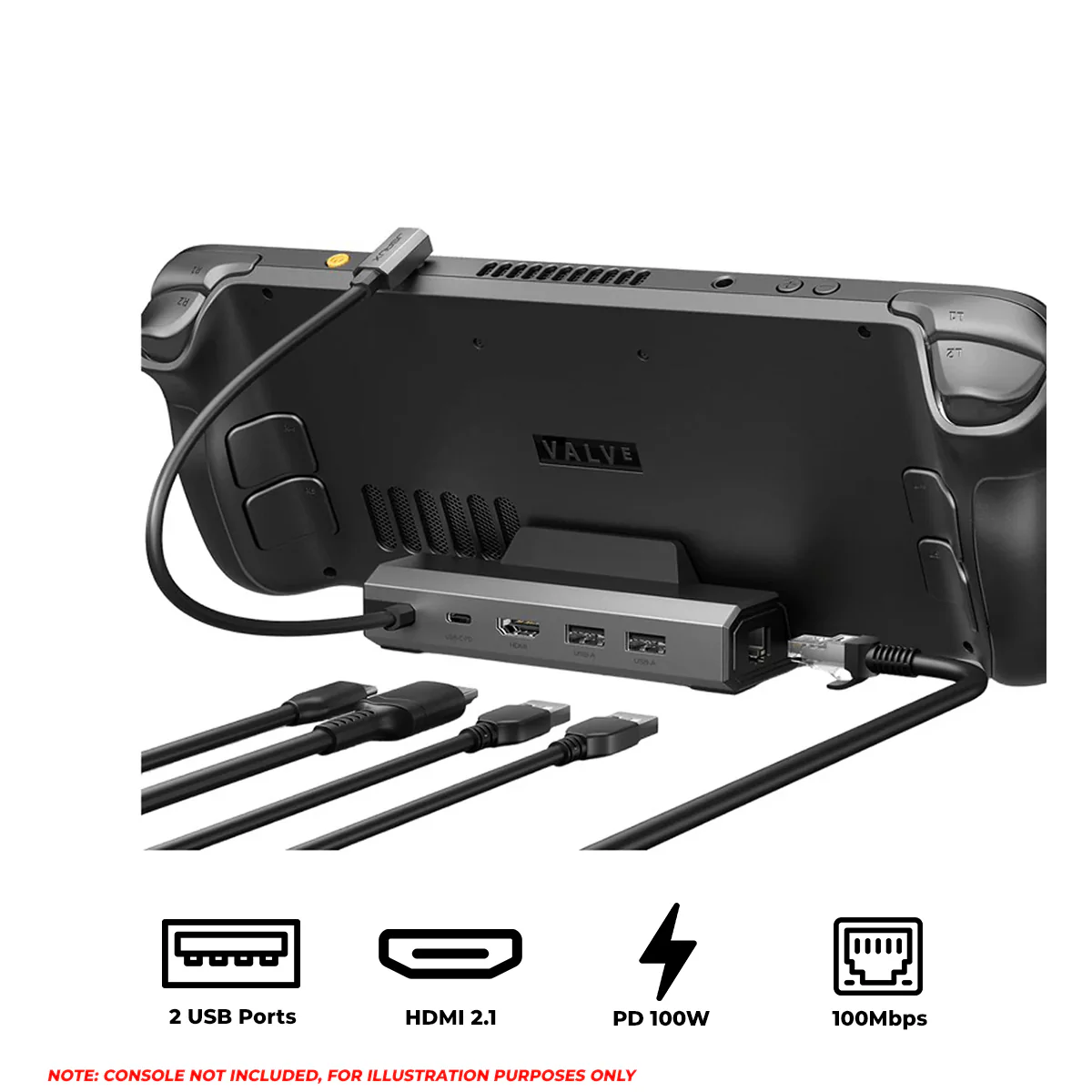




Description
- Upgraded 5-in-1 Docking Station: Features HDMI 2.1 4K@120Hz output for ultra-smooth, crystal-clear visuals, plus 100W PD charging, dual USB A 2.0 ports, and a reliable Ethernet connection. Now supports ROG Ally X and Legion Go S, giving you more ways to enjoy a seamless big-screen gaming experience. NOTE: Not for ROG XBOX Ally / XBOX Ally X.
- 4K@120Hz HDMI Output (Upgraded): Experience double the refresh rate compared to the previous 4K@60Hz version. Whether you’re battling online or watching cinematic cut-scenes, enjoy buttery-smooth gameplay and reduced screen tearing on external monitors.
- Full-Speed 100W Charging: Supports up to 100W PD charging, easily powering your handheld in Turbo Mode. Keeps your gaming sessions uninterrupted — no need to worry about battery drain even during marathon play. Note: The ROG Ally's 30W Turbo Mode is fully supported, but a 100W charger is recommended.
- Reliable Wired Ethernet: Enjoy a stable and consistent network connection with the built-in RJ45 port, ensuring low-latency performance for smooth online gaming and streaming.
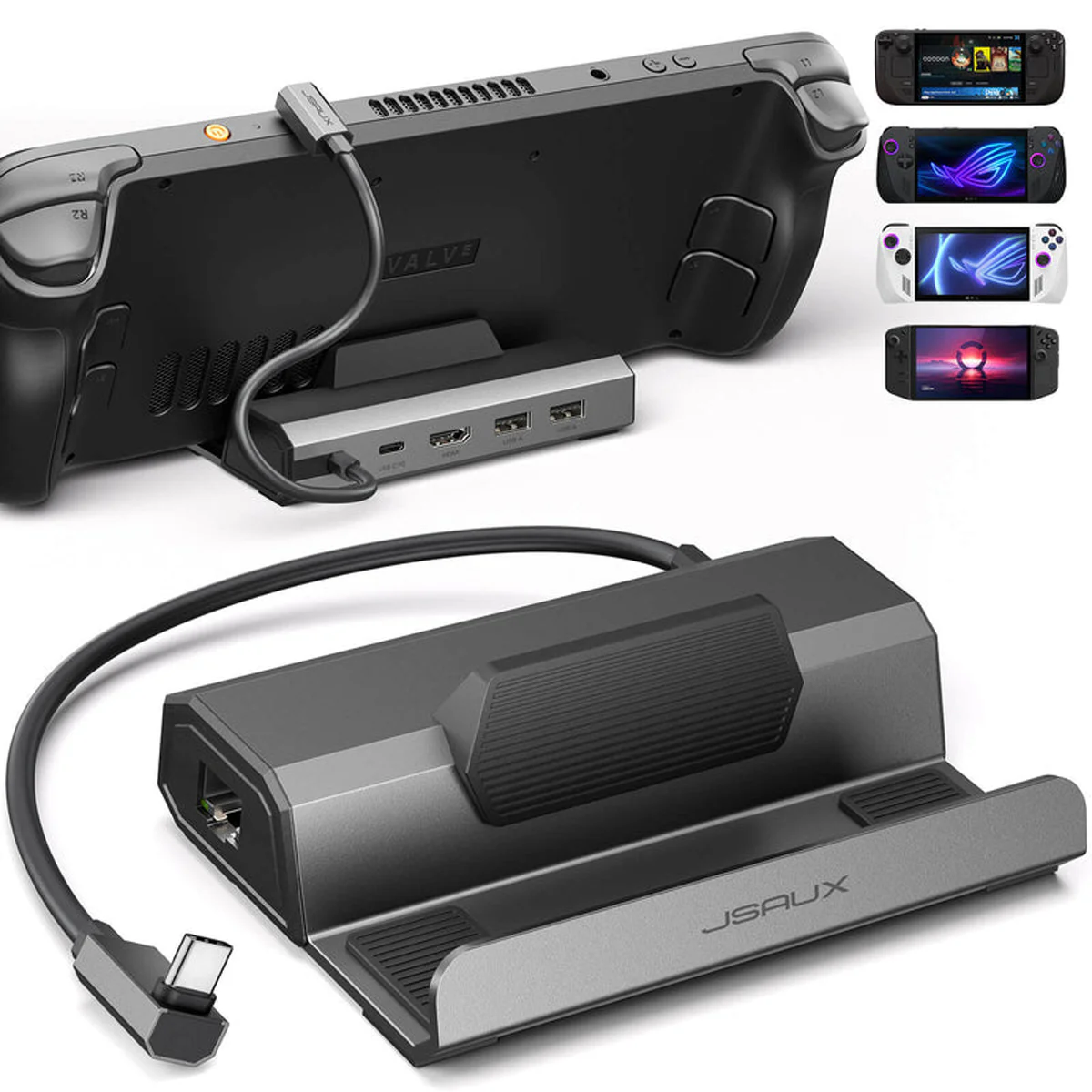
- Expanded Device Compatibility: Now works with Steam Deck LCD/OLED, ROG Ally / Ally X, Legion Go / Go S, and MSI Claw — making it your all-in-one solution across multiple handhelds. NOTE: Not for ROG XBOX Ally / XBOX Ally X.
Note: It is recommended to use a 100W charger to better experience ROG Ally’s high-performance 30W mode.
| Model | HB0602S |
|---|---|
| Compatibility | Compatible Devices: Steam Deck LCD/OLED, ROG Ally/X, Legion Go/Go 2/Go S, and MSI Claw. Non-compatible Devices: ROG XBOX Ally/X, Switch, Switch 2 |
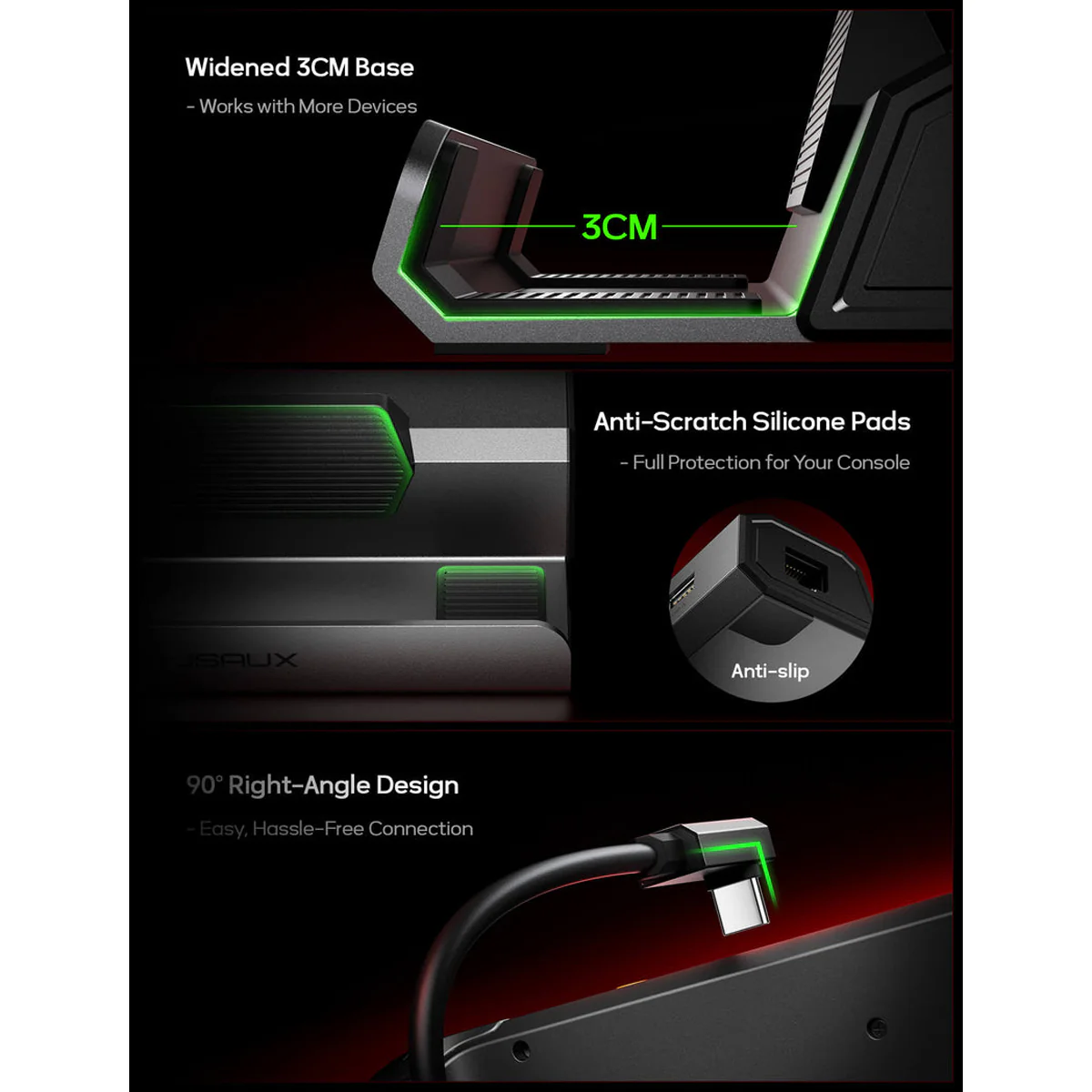
| Dimensions | 120(L)*77.5(W)*36(H)mm; wire length 25cm |
| Number of Ports | 2* USB-A 2.0: supports 480Mbps; 1* PD USB-C: Supports PD 100W charge; 1* HDMI 2.1: Supports Up To 4K@120Hz; 1* RJ45: Adaptive 100/10M Ethernet |
| Material | TPE+Aluminum |
| Weight | 124g |
| NOTE | Please set the resolution and refresh rate of your external monitor to the following standards: 3840*2160@30Hz/60Hz/120Hz, 5120*2880@30Hz, 2560*1440@60Hz or 1920*1080@60Hz/120Hz/144Hz. For 4K@120Hz output, please ensure your device supports it and use an HDMI 2.1 standard cable. Please connect a PD power adapter to the dock when using it. Without external power, the dock cannot charge your device or deliver stable video output. NOTE for Deck LCD/OLED: While a 45W PD charger can charge at full speed, we recommend using a 65W PD charger when docking — this ensures more stable power delivery and faster charging, especially if you connect multiple USB accessories. NOTE for ROG Ally/ ROG Ally X/MSI Claw: For the best experience — especially when using 30W Turbo Mode — we recommend a 100W PD charger. A higher-wattage adapter ensures there’s enough power for both the console and the dock, preventing performance drops, battery drain, or slower charging when accessories are connected. NOTE for Legion Go/Go 2/Go S: To fully unleash the console’s performance, we recommend using a 100W PD charger when docking. The extra power ensures stable 65W charging for the handheld while supplying enough energy for the dock and connected accessories — preventing battery drain or slower charging during heavy use. Performance Tip: When playing demanding games, high-resolution settings can increase power consumption and heat, which may cause frame drops or battery drain while docked. For smoother gameplay and lower latency with external devices, consider slightly lowering the game’s resolution or graphics settings. |